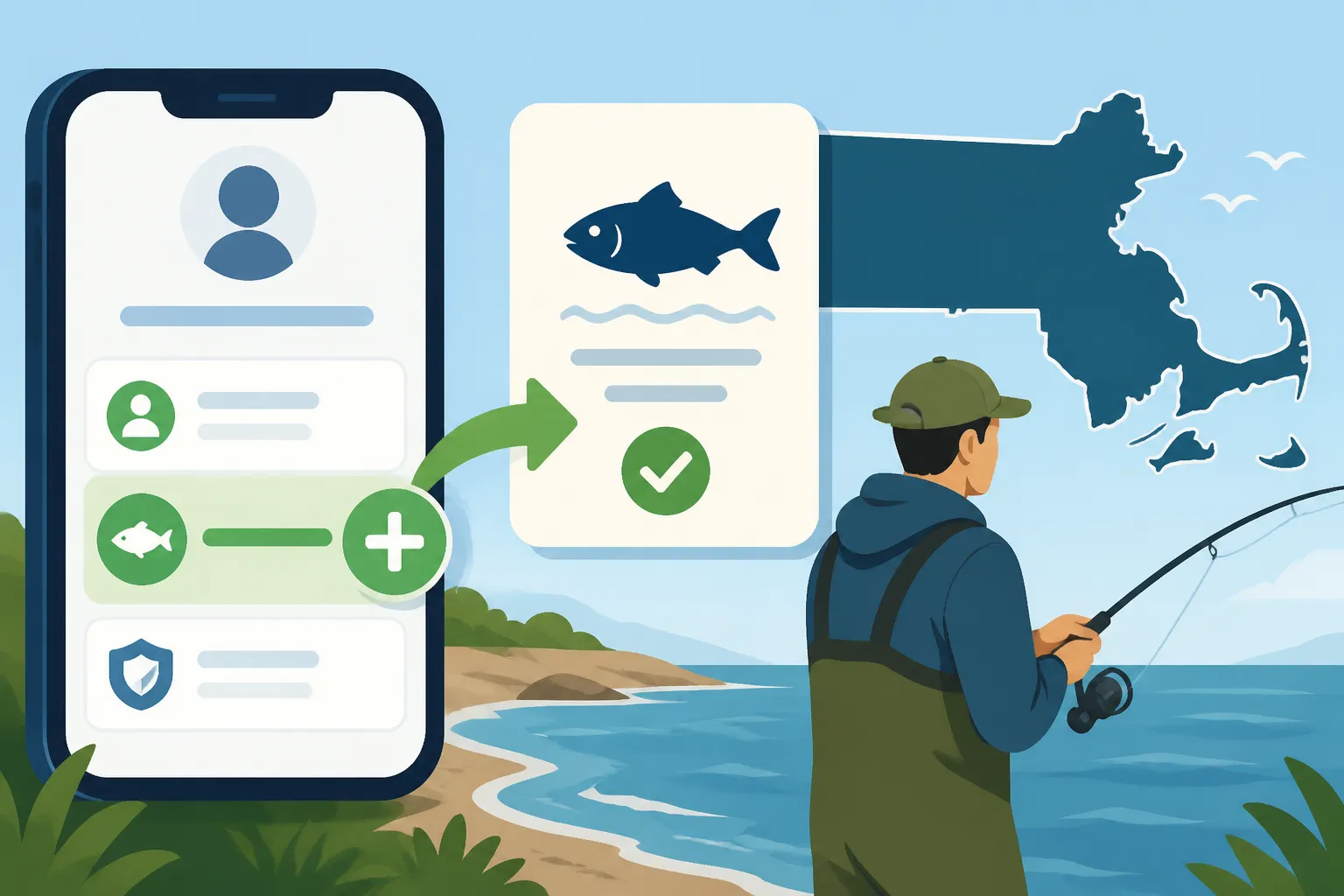
How to add a saltwater permit to a MassFishHunt account
It can be incredibly frustrating when you're itching to get out on the water, but the administrative hurdle of securing your fishing permits feels like a bigger catch than any fish you'll land. Navigating state websites and understanding the nuances between licenses and permits can be a real headache, making you wonder if it's worth the trouble. This comprehensive guide is here to untangle the process, showing you exactly how to add your Massachusetts saltwater recreational fishing permit to your existing MassFishHunt account, so you can spend less time clicking and more time casting.
Understanding the MassFishHunt System
Before we dive into the nitty-gritty of adding your saltwater permit, it’s really helpful to understand what MassFishHunt is all about. Think of it as your official online portal for all things fishing and hunting licensing in Massachusetts. It’s the centralized system managed by the Massachusetts Division of Fisheries and Wildlife (MassWildlife) where you buy licenses, permits, and even report certain harvests. While it might seem a bit clunky at times compared to, say, an Amazon checkout, it’s the gateway to legal angling in the Commonwealth.
The Difference Between a License and a Permit
One of the biggest sources of confusion for many anglers, especially those new to Massachusetts or crossing over from freshwater to saltwater, is distinguishing between a "license" and a "permit." It’s not just semantics; it’s a legal distinction with different requirements.
A "license" in Massachusetts typically refers to your freshwater fishing license, which is required for fishing in lakes, ponds, and rivers inland. This covers species like largemouth bass, trout, and pickerel. You might also encounter a specific "permit" for certain freshwater areas, such as the Quabbin Reservoir fishing permits and rules in Massachusetts, which are additional to your state freshwater license.
On the other hand, a "permit" is the term used for saltwater recreational fishing. It’s important to understand that these are distinct and separate requirements. Having a freshwater license does not automatically grant you the right to fish in saltwater, and vice-versa. You need both if you plan to enjoy both types of fishing, which is a common scenario here in Massachusetts. For a deeper dive into these differences, you can check out our guide on Massachusetts Freshwater vs Saltwater License Differences.
Why You Need a Saltwater Permit
So, why do you even need a saltwater permit in Massachusetts? It’s not just another fee; it’s part of a broader federal initiative to better manage and conserve our marine fisheries. The National Marine Fisheries Service (NMFS) requires states to register recreational saltwater anglers to collect vital data on fishing effort. This data helps scientists and fishery managers make informed decisions about species populations, catch limits, and conservation strategies.
Without a valid Massachusetts saltwater recreational fishing permit, you're not only breaking state law but also potentially hindering critical conservation efforts. The penalties for fishing without a license in Massachusetts can include fines that far outweigh the cost of the permit itself. More importantly, it ensures you’re contributing to the sustainability of the incredible marine resources we’re lucky enough to have along our coastline, from the shores of Cape Cod to the vast stretches of Nantucket Sound. Getting your permit is a small step that makes a big difference for the future of our fisheries.
Step-by-Step Guide to Adding a Saltwater Permit
Alright, let's get down to business. Adding your saltwater permit to your MassFishHunt account is a straightforward process once you know where to click. Whether you’re a seasoned angler who already has a freshwater license or a newcomer, these steps will guide you through the digital labyrinth.
Logging In or Creating Your MassFishHunt Account
The first hurdle is always accessing the system. If you’re an existing user, this part is simple: head to the official MassFishHunt website and log in using your customer ID and password. Your customer ID is usually a unique number assigned to you, and it's often printed on your previous licenses or permits. If you've forgotten your password, don't fret; there's usually a "Forgot Password" link that will guide you through a reset process.
For those new to the MassFishHunt system, you'll need to create a new account. This involves providing some basic personal information like your name, address, date of birth, and contact details. It's a one-time setup, and once you have your customer ID and password, you’re good to go for all future transactions. Remember to keep this information handy, perhaps saved securely on your computer or in a password manager, to avoid future headaches. If you need a more detailed walkthrough of the initial setup, our How MassFishHunt Works for Buying a Massachusetts License guide can help.
Navigating to the Licensing Section
Once you’re logged into your MassFishHunt account, you’ll typically be greeted by a dashboard or a main menu. Look for clear links or buttons that say something like "Buy Licenses and Permits," "Purchase a License/Permit," or "Licenses & Permits." The exact wording might vary slightly depending on any system updates, but the intent is always the same: to get you to the section where you can add new privileges to your account.
Clicking on this link will usually take you to a page where you can see all available licenses and permits. You might see options for freshwater fishing, hunting, trapping, and, crucially for our purpose, saltwater fishing. Don't be overwhelmed by the choices; just focus on finding the correct option for your saltwater permit.
Selecting Your Saltwater Permit
This is where you make your specific selection. You're looking for the "Massachusetts Saltwater Recreational Fishing Permit." When you click on it, you'll be presented with details about the permit, including its cost and validity period.
Here’s an important point: for many resident anglers aged 60 and over, the Massachusetts saltwater permit is free, but you still need to "purchase" or "add" it to your account. It will simply show a $0.00 charge. For those under 60, there is a fee, which typically includes a small agent fee and processing fee in addition to the base permit cost. Our articles on the Massachusetts saltwater permit cost for anglers under 60 and Massachusetts saltwater permit is free for anglers 60 and over can provide more specific details on pricing. Make sure to review the information carefully before proceeding to ensure you're selecting the correct permit type for your situation. Add it to your "cart" or selection, much like you would an item on a large online store.
Completing the Purchase and Confirmation
Once you've selected your saltwater permit, you'll proceed to the checkout process. This usually involves reviewing your selection, confirming your personal details, and then entering your payment information if there's a fee. The MassFishHunt system accepts standard payment methods like major credit and debit cards. Double-check all the details, especially your card number and expiration date, to avoid any transaction issues.
After a successful payment, you’ll receive a confirmation page. This page is incredibly important! It will contain your temporary permit, or at least proof of purchase. You should immediately do one of two things:
- Print it out: Having a physical copy is always a good backup.
- Save it as a PDF: Download the confirmation or permit document to your computer or cloud storage (like Google Drive or Dropbox). This way, you can easily access it on your phone or print it later if needed.
You should also receive an email confirmation. Keep this email in a safe place, as it also serves as proof of your transaction and often contains a link to retrieve your permit details if you ever lose your initial copy.
Common Questions and Troubleshooting
Even with a step-by-step guide, online systems can throw curveballs. Here are some common questions and troubleshooting tips to help you if you encounter any hiccups while adding your saltwater permit.
What if I Already Have a Freshwater License?
This is a very common scenario. Many anglers enjoy both the calm of a freshwater pond and the thrill of the open ocean. If you already possess a Massachusetts freshwater fishing license, you absolutely do not need to create a new MassFishHunt account. In fact, you should avoid doing so, as it can lead to duplicate profiles and confusion.
Simply log into your existing MassFishHunt account using your established customer ID and password. Once logged in, navigate to the "Buy Licenses and Permits" section as described above. You’ll find the option to add the "Massachusetts Saltwater Recreational Fishing Permit" there. The system will recognize your existing account and simply add this new permit to your profile. It's designed to be an additive process, building on your existing licensing history. When it's time for renewal, you'll find all your current permits and licenses conveniently listed under your account, making the Massachusetts fishing license renewal guide a breeze to follow.
Dealing with Payment Issues
Nothing is more frustrating than getting to the payment screen only to have your transaction declined. If you encounter payment issues, here are a few things to check:
- Double-check your card details: A simple typo in the card number, expiration date, or security code (CVV) is a common culprit.
- Verify your billing address: Ensure the billing address you entered matches the address associated with your credit or debit card.
- Insufficient funds or credit limit: Make sure you have enough funds available or haven't exceeded your credit limit.
- Browser issues: Sometimes, a browser cache or an old session can cause problems. Try clearing your browser's cache and cookies, or try using a different web browser altogether (e.g., if you're using Chrome, try Firefox or Edge).
- Contact your bank: Your bank's fraud detection system might have flagged the transaction. A quick call to your bank can usually resolve this.
- Contact MassWildlife: If all else fails, reach out to MassWildlife's licensing division during business hours. They can often see specific error codes and provide guidance. Their contact information is usually available on the MassFishHunt website.
Accessing Your Digital Permit
In today's digital age, carrying a physical license isn't always necessary. Once you've successfully purchased your saltwater permit, you'll typically have several options for accessing and displaying it:
- Print at Home: As mentioned, you can usually print a full-size or wallet-sized version directly from the confirmation page or from your MassFishHunt account at any time. This is a reliable backup.
- Save as PDF: Always a smart move. Save the PDF to your phone, tablet, or a cloud service. This ensures you have an electronic copy readily available.
- MassFishHunt Mobile App: MassWildlife offers a free MassFishHunt mobile app for both iOS and Android devices. After logging in, you can typically view and store your licenses and permits directly on the app. This is often the most convenient method for carrying proof of your Massachusetts fishing license. Many anglers find showing a Massachusetts fishing license on a phone app to be perfectly acceptable by law enforcement, though having a physical copy as backup is still recommended by some wardens in case of a dead battery or damaged phone.
Remember, it's a legal requirement to be able to produce proof of your permit if requested by a Massachusetts Environmental Police Officer. Whether that’s a printed copy or a digital display, make sure it’s accessible when you’re out fishing.
Important Considerations for Massachusetts Saltwater Anglers
Getting your permit is a fantastic first step, but being a responsible and successful saltwater angler in Massachusetts involves a few more key details. Understanding these will help you stay compliant and make the most of your time on the water.
Permit Expiration and Renewal
The Massachusetts saltwater recreational fishing permit operates on a calendar year basis. This means it is valid from January 1st through December 31st of the year it was issued, regardless of when you purchased it during that year. So, if you buy your permit in August, it will still expire on December 31st.
This annual expiration means you'll need to renew your permit each year if you plan to continue saltwater fishing. MassFishHunt typically makes the renewal process available in late December or early January for the upcoming year. It's a good idea to mark your calendar or set a reminder so you don't accidentally find yourself fishing without a valid permit at the start of the new year. For more specific dates and details, refer to our Massachusetts Recreational Saltwater Permit Renewal Deadline guide.
Carrying Proof of Your Permit
We touched on this briefly, but it bears repeating: you must carry proof of your Massachusetts saltwater recreational fishing permit while engaged in fishing activities. This is not just a suggestion; it's a legal requirement. Environmental Police Officers can and do check for valid permits, and not having one can result in fines and other penalties.
While digital proof, such as displaying your permit on the MassFishHunt app or a clear photo of your permit on your phone, is generally accepted, some anglers prefer to also carry a printed, laminated copy. This offers peace of mind in situations where your phone battery might die, or if you're in an area with poor signal. Think of it like carrying your driver's license; it needs to be readily available for inspection.
Understanding Saltwater Regulations
Beyond simply having your permit, a crucial part of responsible saltwater fishing is understanding and adhering to the current regulations for the species you intend to target. These regulations, which include minimum sizes, daily bag limits, and specific seasons, are designed to protect fish populations and ensure sustainable fishing for everyone.
For instance, species like striped bass have a specific slot limit, meaning you can only keep fish within a certain size range, not too small and not too large, as detailed in our Massachusetts Striped Bass Slot Limit Explained article. Other popular species like bluefish, fluke, and tautog also have their own Massachusetts saltwater bag limits by species. These rules can change from year to year based on scientific assessments, so it's vital to consult the latest Massachusetts Marine Fisheries regulations pamphlet, usually available on the MassWildlife or Mass.gov website. Staying informed protects both you and the fish you love to pursue.
To summarize the key permit aspects:
| Feature | Description |
|---|---|
| Purpose | Required for recreational saltwater fishing in Massachusetts waters. |
| Issuing Authority | Massachusetts Division of Fisheries and Wildlife (MassWildlife) via MassFishHunt. |
| Validity Period | Calendar year (January 1st to December 31st), regardless of purchase date. |
| Cost | Free for MA residents 60 and over (still requires "purchase"). Fee for others, plus agent/processing fees. |
| Proof Required | Must be carried while fishing; digital (MassFishHunt app, phone photo) or physical printout. |
| Renewal | Must be renewed annually through MassFishHunt. |
| Legal Authority | Required by both state and federal law (NMFS registration). |
Once you’ve got your permit squared away, and you’re familiar with the rules, you’ll be much more relaxed and ready to enjoy all the incredible saltwater fishing opportunities Massachusetts has to offer! You might even find yourself looking for some new gear on Amazon or at your local tackle shop to celebrate being fully legal and prepared.
Disclaimer
Please remember that fishing regulations and licensing requirements can change. While this guide provides current information, it is always your responsibility to verify the latest rules and regulations with the Massachusetts Division of Fisheries and Wildlife or Marine Fisheries before heading out to fish.