Showing a Massachusetts fishing license on a phone app
Many anglers have faced that heart-stopping moment: reaching for your fishing license only to realize you left it at home, or worse, it's a crumpled, illegible mess after a splash. In today's digital age, carrying physical permits feels antiquated, and the good news is that Massachusetts recognizes this common frustration. This comprehensive guide will walk you through exactly how to display your official Massachusetts fishing license using a phone app, ensuring you're always compliant and ready to cast a line without any last-minute panic.
The Convenience of Digital Proof for Your Massachusetts Fishing License
The days of fumbling through your wallet or tackle box for a tattered piece of paper are, thankfully, largely behind us. Modern technology offers a far more convenient and reliable way to carry your essential fishing credentials, making your time on the water much smoother. Embrace the digital revolution and enjoy a less cluttered, more organized approach to your angling adventures.
Why Going Digital Makes Sense for Anglers
Let's be honest, who wants to carry around extra bits of paper or laminated cards when your phone is almost always with you? Opting for a digital fishing license eliminates the bulk of physical permits, allowing you to keep all your necessary documentation in one easily accessible place. Whether you're heading out for a quick evening fish after work or planning a full day on the water, having your license readily available on your smartphone means one less thing to remember to grab on your way out the door. It streamlines your preparation and gets you to the fishing grounds faster.
Beyond just convenience, choosing a digital license significantly reduces the risk of losing or damaging your crucial permits. Paper licenses are notoriously fragile, susceptible to tearing, fading, and the ever-present threat of water damage, especially when you're wading through streams or battling waves on a boat. A digital license, safely stored on your phone, is protected by your device itself, offering a level of durability and security that paper simply cannot match. This peace of mind allows you to focus on the fishing, not on safeguarding your paperwork.
Another fantastic advantage of the digital approach is the immediate accessibility it provides. Once you purchase or renew your Massachusetts fishing license online, it's instantly available in your digital profile. There's no waiting for a physical copy to arrive in the mail, which can be a real game-changer if you decide on a spontaneous fishing trip. This instant access ensures you're never held back by administrative delays, letting you hit the water whenever the mood strikes. For a comprehensive overview of how to get started, check out our full Massachusetts Fishing License Guide.
Understanding MassFishHunt and Its Role
When we talk about digital fishing licenses in Massachusetts, we're really talking about MassFishHunt. This isn't some generic app you download from your phone's app store; it's the official online licensing and permitting system managed by the Massachusetts Division of Fisheries and Wildlife (MassWildlife). Think of it as your personal portal to all your outdoor activity credentials in the state, designed to be easily accessible from any web browser, including the one on your smartphone. It’s the centralized hub for all things licensing, ensuring official and up-to-date information.
The MassFishHunt system is incredibly robust, managing not just your basic fishing license but also any associated permits, stamps, or endorsements you might need. For example, if you also hold a Massachusetts Saltwater Recreational Fishing Permit Explained or the Massachusetts Wildlands Conservation Stamp Explained, these will typically be linked to your MassFishHunt profile. This consolidation means that with one login, you can view all your active credentials, making it much easier to keep track of what you have and what you might need for different fishing adventures. It simplifies compliance across various regulations.
What's more, MassFishHunt isn't just for viewing your current licenses; it's also where you'll go to initially purchase your license and manage all your subsequent renewals. The platform is designed for a seamless user experience from start to finish. If you're wondering how to navigate the system, our guide on How MassFishHunt Works for Buying a Massachusetts License provides an excellent walkthrough. And when it's time to refresh your credentials for the new season, our Massachusetts Fishing License Renewal Guide offers all the details you’ll need to keep everything current.
How to Access and Display Your License on Your Phone
Getting your fishing license up on your phone screen is a straightforward process, but knowing the exact steps can save you time and ensure you have all the necessary information readily available when it counts. It’s about leveraging the official system effectively to ensure compliance.
Logging into Your MassFishHunt Account
To begin, you'll need to open the web browser on your smartphone – whether that's Safari on an iPhone or Chrome on an Android device – and navigate directly to the official MassFishHunt website. Once there, locate the login section. You’ll typically need your customer ID, which is a unique number assigned to you by MassWildlife, or the email address associated with your account, along with your password. If you’re new to the system or need a refresher, our MassFishHunt account setup guide can walk you through creating or accessing your profile for the first time.
After successfully logging in, you'll want to look for a section labeled something like "My Licenses and Permits" or "My Account." Clicking on this will bring up a list of all your current and sometimes past licenses and permits. You’ll see entries for your freshwater fishing license, saltwater recreational permit, and any other relevant stamps or tags you’ve purchased. Each entry should have a link or button that allows you to view the details of that specific credential.
When you click to view a specific license, the system will typically display a digital version of your permit right on your screen. This might be a detailed webpage rendering of the license information, or sometimes, it provides an option to download a PDF document. This digital display will include all the critical information an enforcement officer would look for: your name, address, customer ID, license type (e.g., resident freshwater, non-resident saltwater), issue date, and expiration date. Ensure all these details are clear and legible on your screen.
Saving Your License for Offline Access
Now, this is a critical step that many anglers overlook, leading to potential headaches out on the water. While displaying your license directly from the MassFishHunt website works well when you have a strong cell signal, many of Massachusetts' best fishing spots – especially remote ponds, secluded rivers, or offshore locations – often have spotty or non-existent cellular service. Relying solely on live web access could leave you unable to show proof of your license when a warden asks for it, which could lead to an unfortunate situation.
To circumvent the problem of no cell service, you absolutely must save a copy of your license directly to your phone. The simplest method is often to take a clear screenshot of the digital license displayed on the MassFishHunt website. Make sure the entire license, with all its details, is visible and readable in the screenshot. If the MassFishHunt system offers the option to download your license as a PDF, this is often an even better solution, as PDFs are typically higher quality and universally viewable.
Once you’ve taken a screenshot or downloaded a PDF, make sure you know where it’s stored on your device. For screenshots, they'll usually appear in your phone's photo gallery or "Recents" album. If you’ve downloaded a PDF, it will likely be in your phone's "Files" app (on iOS) or "Downloads" folder (on Android). It’s a good idea to create a dedicated album for your fishing documents or rename the PDF for easy retrieval, such as "MA_Fishing_License_2026." Having it easily locatable means less fumbling if an enforcement officer approaches.
Legal Considerations and What Enforcement Officers Expect
Understanding the legal standing of a digital license and how to present it properly to a Massachusetts Environmental Police Officer or MassWildlife Warden is just as important as having the license itself. You want to be prepared and cooperative to ensure a smooth interaction. Failing to present proper documentation, regardless of intent, could result in Penalties for Fishing Without a License in Massachusetts.
Is a Phone Photo of Your License Accepted in Massachusetts?
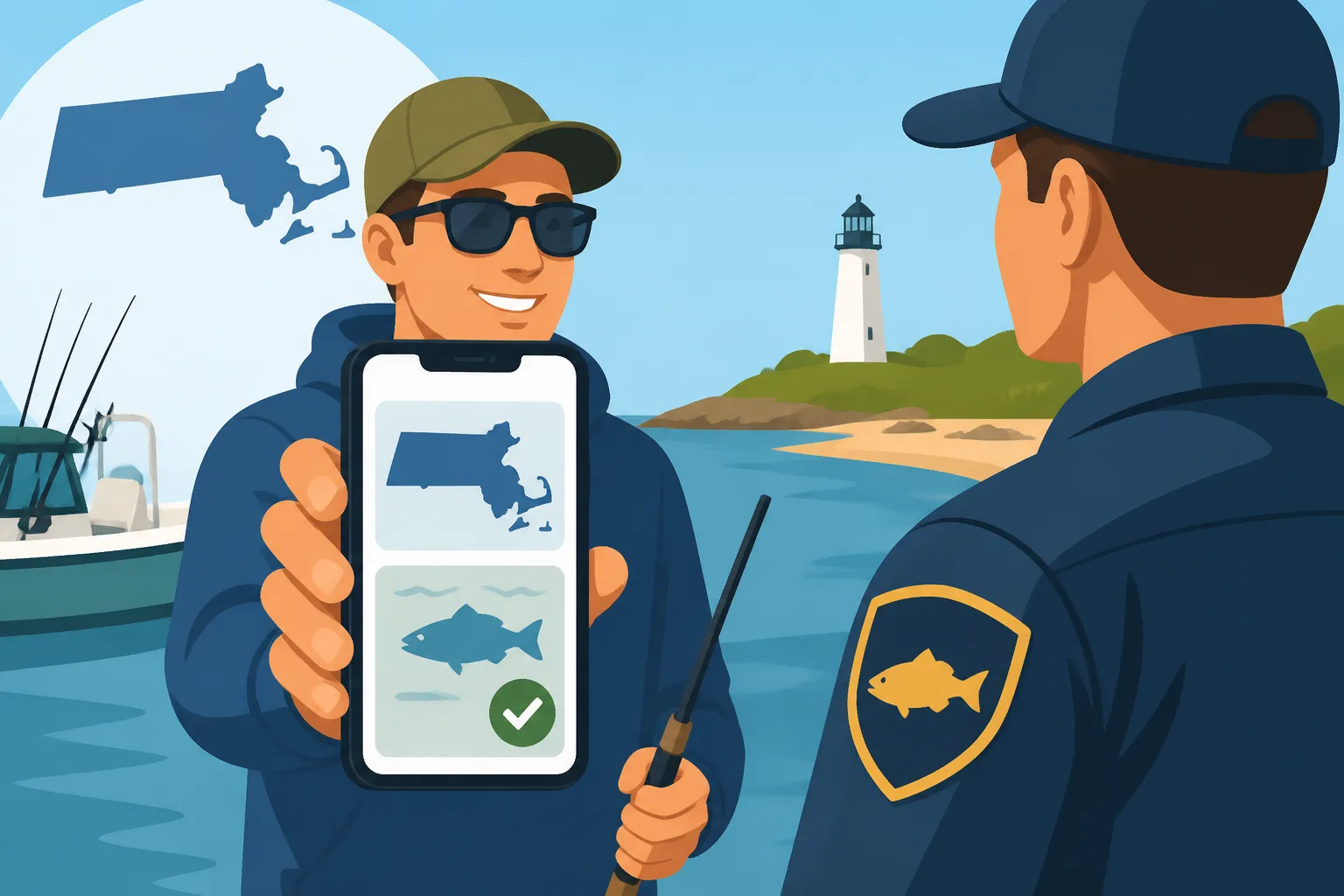
Yes, absolutely. The Massachusetts Division of Fisheries and Wildlife officially accepts digital proof of your fishing license displayed on a smartphone or other mobile device. This policy was put in place to enhance convenience for anglers, recognizing the shift towards digital documentation in our daily lives. So, you can put that crumpled paper license away for good, provided you have your digital version readily available on your phone.
However, while a digital display is accepted, it comes with a crucial caveat: the license must be clearly legible and fully viewable. This means the screen should be free of cracks that obstruct text, the brightness should be turned up, and all details – your name, license number, type (e.g., freshwater vs. saltwater), and validity dates – must be easily readable by the enforcement officer. A blurry screenshot or a phone with a barely visible screen might cause issues, as the officer needs to quickly verify the information. Our guide on Carrying Proof of Your Massachusetts Fishing License delves deeper into what constitutes acceptable proof.
It's always a good practice to be prepared for contingencies. While a digital license is sufficient, some anglers choose to print a physical backup, especially if they frequently fish in very remote areas where signal is non-existent, or if they have an older phone prone to battery issues. This isn't legally required, but it's a personal choice that adds an extra layer of security and ensures you're never caught off guard, even in the most challenging circumstances.
Best Practices for Presenting Digital Credentials
When an environmental police officer or a MassWildlife warden approaches you on the water, the first thing to do is remain calm and cooperative. They are simply doing their job to ensure everyone is following the rules and that the state's natural resources are being managed responsibly. Have your phone ready and your license displayed or easily accessible before they even have to ask. This shows respect for their time and the regulations.
Once you’re ready to present your license, ensure your phone's screen brightness is turned up to its maximum setting. This helps mitigate any glare from the sun or reflections on the water, making it easier for the officer to read. If necessary, don’t hesitate to zoom in slightly on the text or information the officer needs to see. They'll primarily be looking for key identifiers like your name, customer ID, and the expiration date of your license.
Remember, clarity is paramount. The officer needs to quickly verify that you possess the correct type of license for the waters you’re fishing – for instance, a Massachusetts Freshwater Fishing License Costs and Rules versus a Massachusetts Saltwater Recreational Fishing Permit Explained. Having your license pulled up and clearly presented ensures a swift and respectful interaction, allowing you to get back to enjoying your fishing sooner. Understanding these distinctions is crucial, as detailed in our article on Massachusetts Freshwater vs Saltwater License Differences.
Common Challenges and Troubleshooting Tips
While carrying your fishing license on your phone offers unparalleled convenience, it's not without its potential pitfalls. Being aware of these challenges and knowing how to troubleshoot them can prevent frustration and ensure you're always in compliance, even in less-than-ideal situations.
Dealing with No Cell Service on the Water
One of the most frequent challenges anglers face when relying on digital documents is the dreaded "no signal" message on their phone. Many of Massachusetts' most pristine and productive fishing locations, particularly those tucked away in the Berkshires or along remote coastal stretches, are notorious for poor cellular coverage. If you haven't taken the proactive step of saving your license for offline access, a lack of service means you won't be able to log into MassFishHunt to retrieve it, putting you in a sticky situation with enforcement.
This is why we can’t stress enough the importance of downloading your license as a PDF or taking clear screenshots before you head out. Make it part of your pre-fishing routine. Before leaving home, open your MassFishHunt account, pull up your license, and save it. Better yet, save multiple copies or even email a copy to yourself as an extra backup. For those who frequently venture into truly isolated areas, it’s not a bad idea to also carry a small, laminated printout as a physical backup, just in case your phone decides to completely give up the ghost.
If you find yourself in a situation with no service and you haven't saved your license, all is not lost, but it will require some improvisation. You might have to move to an area where you can pick up a signal, which isn't always practical or quick when you're on a boat or deep in the woods. This scenario highlights why foresight and preparation, such as reviewing Massachusetts Fishing License Requirements by Age for everyone in your party, are so vital. Always consider a portable battery pack if you plan long fishing sessions in remote areas, just in case you need to preserve power for essential functions.
Ensuring Your Phone is Charged and Protected
It might sound obvious, but a dead phone battery renders your digital license completely useless. Imagine being asked for your license only to find your phone has conked out. This is why fully charging your phone before any fishing trip, especially a longer one, should be as routine as checking your tackle box. Consider investing in a portable power bank, which can recharge your phone on the go and be a real lifesaver when you’re far from an outlet. Many fishing bags even have dedicated pockets for these now.
Beyond power, protecting your phone from the elements is paramount when fishing. Water and electronics are natural enemies, and even a small splash can spell disaster for an unprotected phone. Investing in a high-quality waterproof case or carrying your phone in a dry bag is highly recommended. Not only will this safeguard your device (and therefore your digital license) from accidental dips in the water, but it also protects it from rain, spray, and even humidity that can impact performance. Accidents happen, and a good case is a small price to pay for peace of mind.
Lastly, consider the physical condition of your phone's screen. A severely cracked or shattered screen could make your license unreadable, even if the phone is powered on. While the phone itself might still function, if the critical details of your license are obscured, it defeats the purpose of having it digitally. Prioritizing phone protection, whether through screen protectors or robust cases, isn't just about preserving your device; it's about ensuring your legal compliance on the water remains uncompromised.
Digital vs. Physical Fishing License: A Quick Comparison
To help you decide which method of carrying your fishing license suits you best, here’s a quick overview of the pros and cons of both physical and digital options in Massachusetts.
| Feature | Physical License (Paper/Card) | Digital License (Phone App) |
|---|---|---|
| Convenience | Can be bulky, easily lost, forgotten | Always with you if you have your phone |
| Durability | Prone to tearing, fading, water damage | Protected by phone, no physical wear |
| Accessibility | Requires remembering to carry, retrieve | Instant access via phone (if saved/signal) |
| Proof of Identity | Often requires separate ID, can be verified visually | Linked to account, easily verified through official portal |
| Offline Access | Always available | Requires saving or screenshot prior to trip |
| Replacement Cost | Small fee if lost or damaged | None, just re-download from MassFishHunt |
| Environmental Impact | Uses paper (though minimal) | Paperless, contributes to sustainability |
| Enforcement View | Clear, easy to handle | Relies on phone screen quality, battery, signal |
Disclaimer
The information provided in this guide is for general informational purposes only and does not constitute legal advice. While we strive to ensure accuracy, fishing regulations and policies in Massachusetts can change. Always consult the official Massachusetts Division of Fisheries and Wildlife (MassWildlife) website or contact them directly for the most current and authoritative information before engaging in any fishing activities.