How to renew a Massachusetts fishing license online
Forgetting to renew your Massachusetts fishing license until the last minute can put a real damper on your fishing plans, especially if you're trying to squeeze in a quick trip after work or on a weekend. Nobody wants to be caught off guard, or worse, face a fine for fishing without a valid license. Thankfully, renewing your Mass fishing license online is incredibly straightforward, allowing you to get back to what you love faster and with far less hassle. This guide will walk you through every step of the online renewal process, ensuring you're legal and ready for your next cast.
Why Renewing Online is Your Best Bet
In today's fast-paced world, convenience is king, and renewing your Massachusetts fishing license online through the MassFishHunt system is undeniably the easiest, most stress-free way to stay compliant. Gone are the days of rushing to a local vendor before they close, standing in line, or trying to find a parking spot. The online system is available 24/7, meaning you can renew your license from the comfort of your couch at midnight or during your lunch break at the office.
This accessibility is a huge benefit, especially for those of us with unpredictable schedules or who live a bit far from official vendors. You don't have to rearrange your day or take time off work just to handle this simple administrative task. Plus, by choosing online renewal, you contribute to a more efficient, paperless system, which is a small but meaningful way to support environmental efforts. It also means you get immediate confirmation, often with the option to print your license right then and there, or simply have it ready to display digitally on your phone.
Think about it: no more scrambling when you suddenly decide to hit the water on a beautiful Saturday morning, only to realize your license expired yesterday. With online renewal, that last-minute panic can be a thing of the past. It truly streamlines the process, giving you more time for actual fishing and less time worrying about bureaucracy.
Step-by-Step Guide to Renewing Your Massachusetts Fishing License Online
Renewing your Massachusetts fishing license online is designed to be user-friendly, even for those who might not consider themselves tech-savvy. The MassFishHunt system is the official portal, and with a few clicks, you’ll be all set. Let's break down the process into easily manageable steps.
Accessing the MassFishHunt System
Your first stop is the official MassFishHunt website, which is the dedicated platform managed by the Massachusetts Division of Fisheries and Wildlife (MassWildlife) for all licensing and permit needs. You can easily find it with a quick search, or navigate directly to the Mass.gov website and look for the MassFishHunt portal. Once you're there, you'll need to log into your existing account. This typically requires your customer ID and password.
If you're a returning angler, you likely already have an account from a previous license purchase. Your customer ID is usually printed on your past licenses. It's a unique identifier that links all your permits and licenses within the system. If you've never used the online system before but have purchased licenses in person, you'll still have a customer ID that was generated for you. You might need to go through a "first-time online login" process or register if you've truly never interacted with the system before, but most anglers will simply log in. For a detailed overview of the system, you can always check out our guide on How MassFishHunt Works for Buying a Massachusetts License.
It's a good idea to bookmark the MassFishHunt page once you've found it, so you don't have to search for it every time. This saves a few precious moments, especially when you're eager to get that renewal done. Remember, having your customer ID handy makes this initial step smooth and quick.
Navigating the Renewal Process
Once you're logged into your MassFishHunt account, you'll typically see a dashboard or a main menu. Look for options like "Buy a License," "Renew License," or "Purchase Licenses & Permits." These are usually prominently displayed. Click on the appropriate link, and the system will guide you through the available options. Since your intent is to renew, you'll usually find your expiring or expired license listed, ready for renewal.
The system will then present you with the various license types you're eligible for, based on your residency and age. This might include a freshwater fishing license, a saltwater recreational fishing permit, or even a combination hunting and fishing license. For instance, if you usually only fish freshwater, you'll select the appropriate freshwater option. If you enjoy both, you might want to explore the differences covered in our Massachusetts Freshwater vs Saltwater License Differences guide to ensure you're getting exactly what you need. Carefully review the options and select the license(s) you wish to renew.
After making your selection, the system will add it to your shopping cart, much like any online shopping experience. This is also where you might encounter the Massachusetts Wildlands Conservation Stamp if it applies to your purchase. Ensure you've selected all the necessary components for your fishing adventures before moving on to the next stage. Double-checking your cart here can prevent any last-minute surprises or the need to go back and add more items later.
Confirming Details and Payment
With your desired license(s) in your cart, the next step involves confirming your personal information and proceeding to payment. The MassFishHunt system will usually pre-populate your details from your account, such as your name, address, and date of birth. It's crucial to review this information thoroughly to ensure everything is current and accurate. An outdated address or incorrect birthdate can cause issues down the line. Make any necessary updates here.
After confirming your personal details, you'll be prompted to choose a payment method. Most online portals accept major credit cards like Visa, Mastercard, Discover, and American Express. Input your card details, including the card number, expiration date, and security code. The MassFishHunt system is secure, using encryption to protect your financial information, so you can generally feel confident entering your payment details. Before finalizing, take one last look at the total cost, including any processing fees that might apply.
Once you've entered your payment information and confirmed everything, click the "Submit" or "Process Payment" button. You should receive an immediate confirmation on the screen, indicating that your transaction was successful. An email confirmation, often containing a copy of your new license, will also usually be sent to the email address associated with your account. This digital receipt is important for your records.
Printing or Saving Your License
The best part about online renewal? Instant access to your new license! After a successful transaction, the MassFishHunt system will typically provide a link or an option to "Print License" or "View License." Click this to bring up a printable version of your official Massachusetts fishing license. It's always a good idea to print out a physical copy to carry with you, especially if you're heading out to fish in areas with spotty cell service.
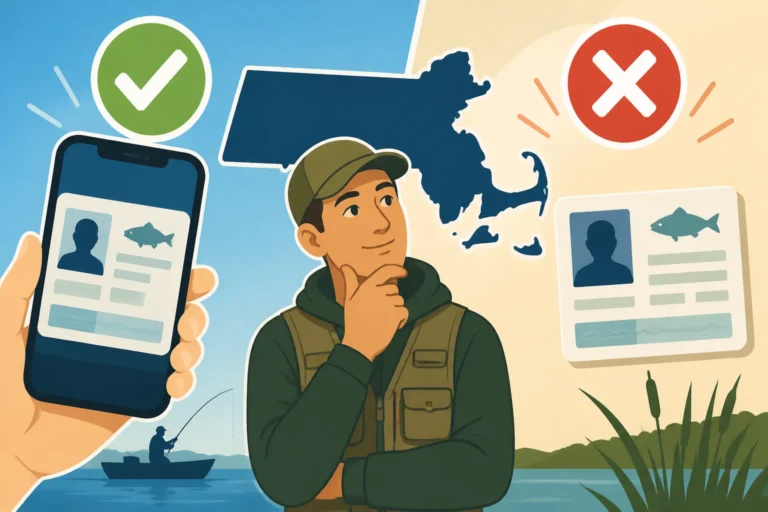
However, in Massachusetts, you generally have some flexibility. While a physical copy is recommended, it's often acceptable to carry proof of your license digitally on your smartphone. Many anglers prefer this eco-friendly option. Just make sure your phone is charged, and you know exactly where the digital copy is saved or how to access it through your MassFishHunt account on the fly. To learn more about this, you can read our guide on Carrying Proof of Your Massachusetts Fishing License. You could even consider a waterproof phone case, readily available on Amazon, to keep your digital license safe from splashes and unexpected dips while you're out fishing.
Saving a digital copy to your phone's photo gallery or a dedicated fishing app ensures you have it even if you lose internet access. Whichever method you choose, make sure you have proof of your valid license before heading out. This step is crucial for compliance with Massachusetts Recreational Fishing Rules and Bag Limits.
Troubleshooting Common Online Renewal Issues
While the online renewal system is generally quite smooth, like any digital platform, you might occasionally run into a snag. Don't worry, most common issues have straightforward solutions. Knowing what to do can save you a lot of frustration and keep you from having to contact customer support unless absolutely necessary.
Forgotten Login Credentials
One of the most common hiccups is forgetting your customer ID or password. It happens to the best of us, especially if you only log in once a year. The MassFishHunt system has built-in recovery options for this exact scenario. On the login page, look for links like "Forgot Customer ID?" or "Forgot Password?". Clicking these will usually prompt you to enter your email address or some other identifying information (like your last name and date of birth) associated with your account.
Follow the instructions carefully. For a forgotten customer ID, the system will typically email it to you. For a forgotten password, you'll usually receive a link to reset your password. It's important to use the email address you originally registered with. If you've changed emails or no longer have access to the old one, this can complicate things, and you might need to contact MassWildlife directly. Keep your new password secure, perhaps using a password manager or storing it in a safe, accessible place, so you don't have to go through this process again next year.
Payment Processing Problems
Encountering a "payment failed" message can be frustrating, especially when you know you have funds available. Several things could cause this. First, double-check that you entered all your credit card details correctly – the card number, expiration date, and the CVV security code on the back. A single typo can lead to a rejection. Second, ensure your billing address entered on the MassFishHunt site matches the billing address on file with your credit card company. Mismatches are a common reason for failed transactions.
Sometimes, your bank might flag the transaction as unusual, especially if it's an annual charge to a state agency you don't frequently interact with. It's worth calling your bank or credit card company to ensure they haven't blocked the transaction for security reasons. They can often approve it on the spot. If all else fails, try using a different credit card if you have one, or even a different payment method if the system offers it. You might also consider purchasing a physical gift card from Amazon or a local store and loading it with funds to use for online payments if you frequently encounter issues with your primary cards online.
Technical Glitches and Browser Issues
The internet isn't always perfect, and sometimes browser issues can interfere with online transactions. If you're having trouble loading pages, clicking buttons, or completing the transaction, try these common tech fixes. First, clear your browser's cache and cookies. This often resolves minor loading and display problems. Second, try using a different web browser (e.g., if you're using Chrome, try Firefox or Edge) or even a different device, such as a tablet or smartphone.
Outdated browsers or certain browser extensions can sometimes conflict with secure payment portals. Ensure your browser is updated to its latest version. If you're on a public Wi-Fi network, consider switching to a more secure connection or your mobile data, as network security settings can sometimes interfere. Persistence is key here; a quick switch of browser or device often fixes these seemingly stubborn issues.
License Not Appearing After Purchase
You've paid, you've received a confirmation, but your new license just isn't showing up, or you can't access the printable version. Take a deep breath! First, check your email inbox (and spam/junk folders) for the official confirmation email from MassFishHunt. This email often contains a direct link to your license or an attached PDF. If you still can't find it, log back into your MassFishHunt account. Licenses are typically stored under a "My Licenses" or "License History" section, where you should be able to view and print past and current licenses.
If, after all these steps, your license is still missing, it's time to contact MassWildlife customer service. You can usually find their contact information (phone number or email address) on the MassFishHunt website or the main Mass.gov site. Have your transaction ID or confirmation number ready, as this will help them quickly locate your purchase and resolve the issue. They can often re-send the license to you or help you access it directly. For a comprehensive look at licensing, our Massachusetts Fishing License Guide has additional support resources listed.
Understanding Your Massachusetts Fishing License Expiration
Knowing when your fishing license expires is just as important as knowing how to renew it. Many anglers get caught off guard because they misunderstand the renewal cycle, leading to unnecessary stress or, worse, penalties for fishing without a valid license.
Calendar Year vs. 365-Day Licenses
This is a crucial distinction that often confuses anglers. In Massachusetts, many licenses, particularly the freshwater fishing license, operate on a calendar year basis. This means they are valid from January 1st to December 31st of the year they are purchased, regardless of when you buy them. So, if you buy your freshwater license in July, it still expires on December 31st of that same year. This is a common setup, and it means you'll be renewing at the same time each year if you want continuous coverage.
The Massachusetts saltwater recreational fishing permit, however, typically operates on a different schedule, often expiring on December 31st as well, but it's important to verify this on the MassFishHunt system as specific regulations can sometimes shift. Always double-check the expiration date printed on your actual license or displayed in your MassFishHunt account. Understanding these different expiration patterns is key to planning your renewals effectively. For specifics on saltwater permits, check our article on Massachusetts Saltwater Recreational Fishing Permit Explained.
The Importance of Timely Renewal
Fishing with an expired license in Massachusetts is a serious offense, and it can lead to fines and other penalties. It's not just about a simple piece of paper; license fees directly contribute to vital conservation efforts, fish stocking programs, and the management of aquatic resources across the Commonwealth. These funds ensure healthy fish populations and maintain public access to fishing spots, from the Quabbin Reservoir Fishing Permits and Rules in Massachusetts to local ponds.
Imagine being out on a beautiful day, reel in a trophy catch, only to realize you're technically breaking the law. That's a memory you don't want. The fines for fishing without a license in Massachusetts can vary, but they are certainly significant enough to make a timely renewal a far more appealing option. Plus, it's simply good practice to support the system that provides us with such fantastic fishing opportunities. Nobody wants to be the person who gets a ticket when they could have easily renewed online in minutes. Our guide on Penalties for Fishing Without a License in Massachusetts details these consequences.
When to Expect Renewal Reminders
MassWildlife does a decent job of trying to remind anglers about upcoming renewals. Typically, you might receive an email notification as your license approaches its expiration date, especially if you have an active email address linked to your MassFishHunt account. These reminders are a lifesaver for many, as it's easy to lose track amidst everything else going on in life.
However, relying solely on these reminders isn't always the best strategy. Email filters can sometimes send them to spam, or they might simply get lost in a cluttered inbox. The most reliable way to stay on top of your license status is to periodically check your MassFishHunt account directly. Log in a few weeks before the end of the year, or before any major fishing trip, to confirm your license validity. You can also make a note in your calendar or set a digital reminder on your phone to prompt you to check and renew. Staying proactive ensures you're always covered, whether you're a resident or fall under the Massachusetts Fishing License for Nonresidents regulations, and regardless of your Massachusetts Fishing License Requirements by Age.
| Feature | Online Renewal (MassFishHunt) | In-Person Renewal (Vendor) |
|---|---|---|
| Convenience | Available 24/7 from anywhere with internet | Limited to business hours, requires travel to a vendor |
| Speed | Instant processing, immediate access to license | Requires travel, potential wait times, immediate physical license |
| Payment Options | Major credit/debit cards | Cash, credit/debit (may vary by vendor) |
| Proof of License | Print at home, save to phone, email confirmation | Physical printed license |
| Reminders | Email reminders (if opted in) | No direct reminders from vendors |
| Accessibility | Good for all, especially those far from vendors | Best for those who prefer physical interaction or lack internet |
| Environmental | Mostly paperless | Generates paper receipt/license |
A Note on Massachusetts Ponds and Specific Waters
It's a common question, especially for those new to Massachusetts fishing: Do You Need a License to Fish in Massachusetts Ponds? The answer, generally, is yes. Most public ponds, lakes, rivers, and streams in the state require a valid freshwater fishing license for anyone aged 15 and over. There are very few exceptions, typically confined to small, entirely private waters that are not connected to public waterways. Always assume you need a license unless you've confirmed otherwise for a very specific, isolated private spot. This also applies to popular locations like the Wachusett Reservoir Fishing Access Rules in Massachusetts, where specific rules often apply on top of the general license requirements.
Knowing this ensures that even if you're just planning a quiet afternoon at a local pond, you're fully prepared. You don't want a pleasant fishing experience turning into a legal hassle. Having your renewed license, whether printed or displayed digitally, means you can focus entirely on enjoying the peace and quiet of fishing, perhaps with a new lure or tackle box you picked up on Amazon.
Disclaimer
Please note that fishing regulations and licensing requirements in Massachusetts can change. While every effort has been made to provide accurate and up-to-date information in this guide, it is always the angler's responsibility to verify current rules and regulations with the Massachusetts Division of Fisheries and Wildlife (MassWildlife) or the official MassFishHunt website before engaging in any fishing activities. This guide is for informational purposes only and should not be considered legal advice.